 FluentTasks
Real-time sync
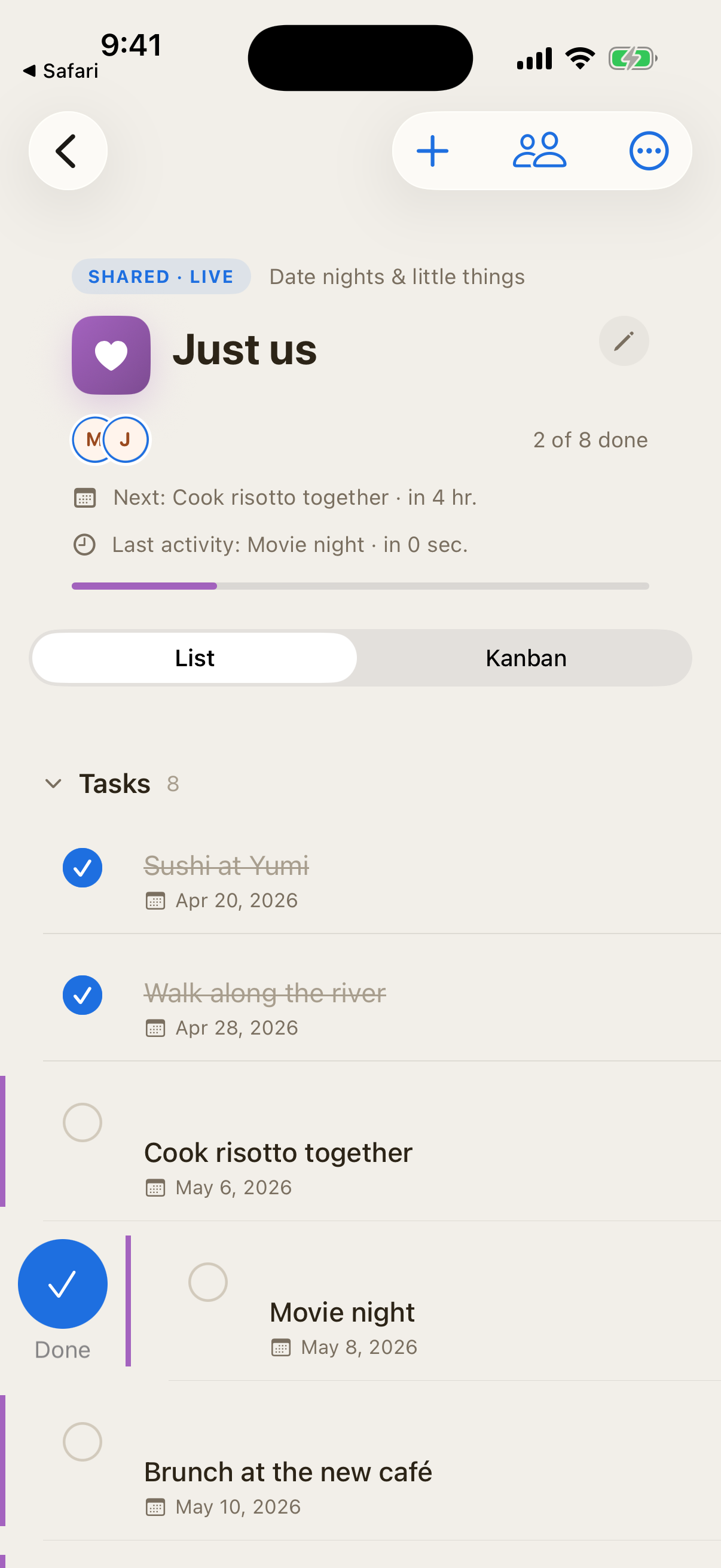
Your partner adds milk; you see it before you reach the dairy aisle. Edits, completions, and new tasks land in under a second.
A native iOS task manager for couples and small households. Real‑time shared projects — groceries, wedding planning, home reno — without the clutter.
iPhone & iPad · Sign in with Apple · Free to start
Apple Reminders is free but the sharing feels like an afterthought. Things 3 is beautiful but built for one person. Todoist works but feels like an office tool. FluentTasks is the in-between: the calm of Things, designed from day one for two people running a life together.
Your partner adds milk; you see it before you reach the dairy aisle. Edits, completions, and new tasks land in under a second.
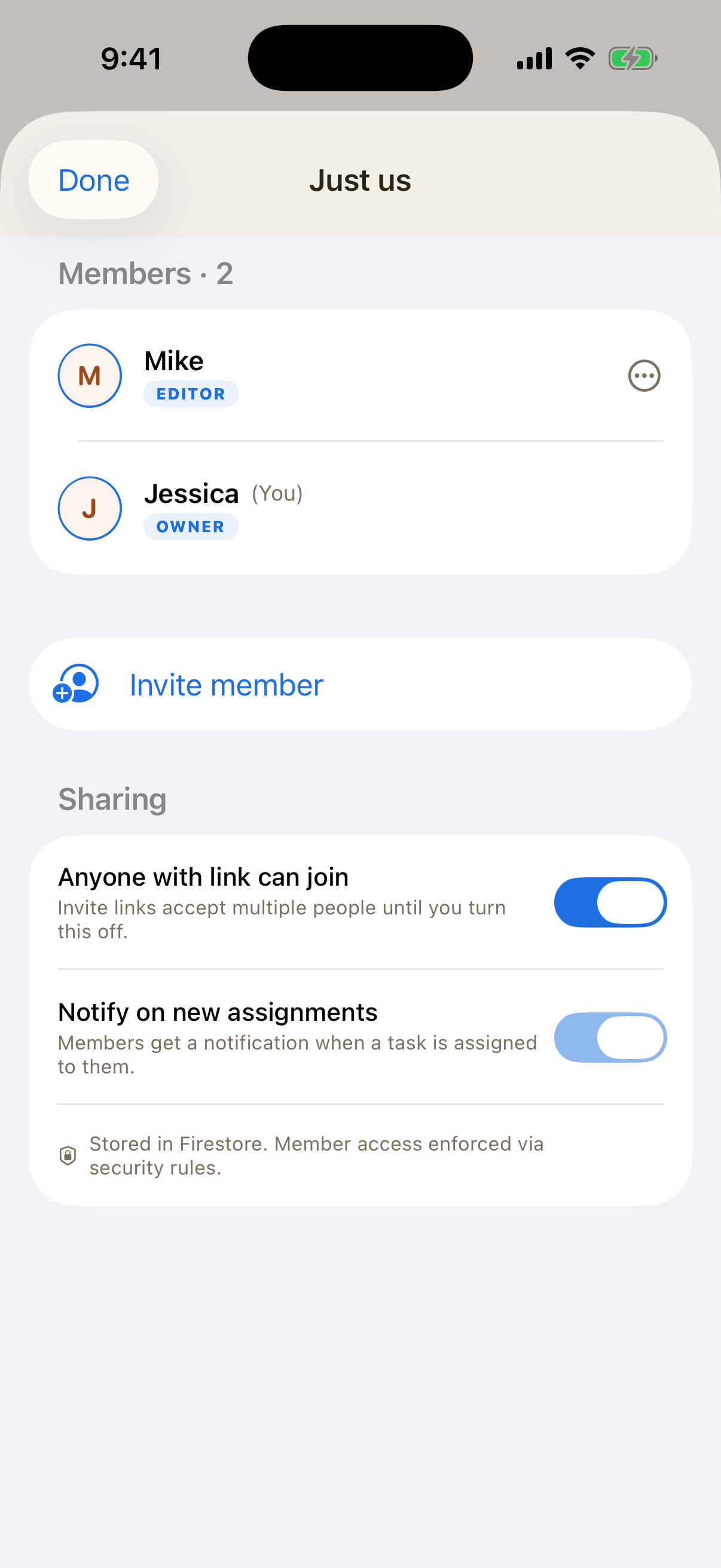
One project per life thing — groceries, wedding, the house. Both of you see the same list, with clear ownership and avatars.
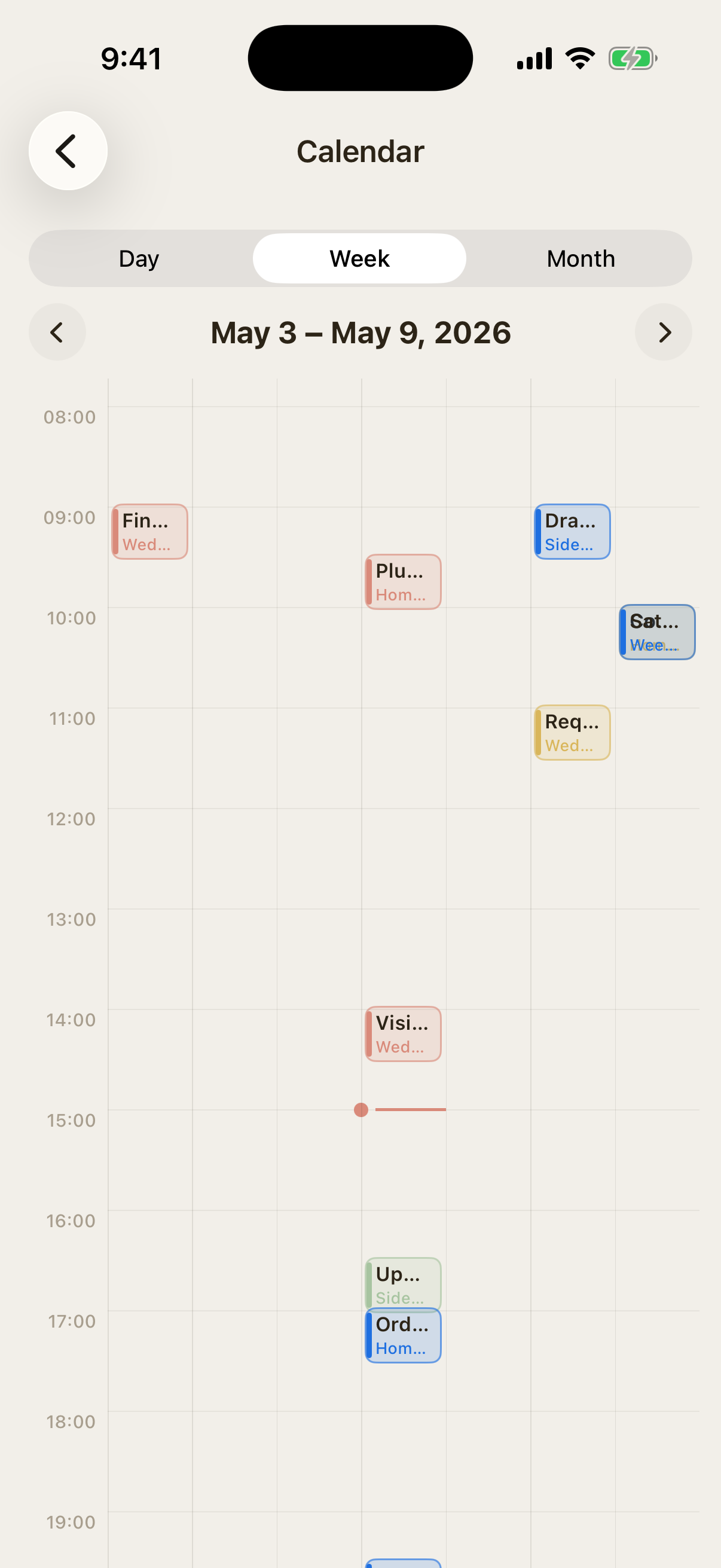
Switch between list, board, and calendar without leaving the project. Day, week, and month views match Apple Calendar.
Set Tuesday trash once. Done. Recurring tasks regenerate cleanly and respect both partners' time zones.
Day, week, and month views show every project's tasks in their real time slots — color-coded by project, just like Apple Calendar.
Pick from a template or start blank. Groceries, wedding planning, home reno, anything.
Send a single link. They tap it, sign in with Apple, and they're in.
Add, complete, reorder. Your partner sees every change as it happens.
Your partner doesn't need a Pro subscription to join. The project owner's plan covers the whole project.
or $39.99 / year — 7-day free trial
Pro is billed through your Apple ID. Cancel anytime in Settings → Apple ID → Subscriptions.
Yes. The free tier includes one shared project, unlimited solo projects, and real-time sync. Pro Balanced unlocks unlimited shared projects, recurring tasks, attachments up to 25 MB, and Apple Calendar and Reminders sync for $4.99 per month or $39.99 per year with a 7-day free trial.
Not yet. FluentTasks is a native iOS app for iPhone and iPad. A Mac version via Catalyst is planned. There is no Android app and no web app.
Apple Reminders is free but its sharing feels like an afterthought — there is no real-time presence, no Kanban view, no project ownership, and the visual design is sparse. FluentTasks is built around shared projects from day one, with real-time sync, list / Kanban / calendar views, and a calm visual design tuned for couples and small households.
Things 3 is a beautiful task app for one person. It does not support real-time sharing between two accounts. FluentTasks keeps the calm aesthetic but is collaborative from the first tap — the project starts with both of you.
No. Only the project owner needs Pro. Anyone you invite can edit, complete, and add tasks for free.
Open the app, go to Profile, and tap Delete account. This removes your account, your owned projects, and all associated data.
FluentTasks is a one-time download away. Free to start.